War of Genesis Steam Market: A Guide to Trading and Idle Looting
Learn how to navigate the War of Genesis Steam Market, optimize your idle looting strategy, and trade gear effectively in this desktop RPG.
Published: War of Genesis Wiki Editorial Team
Table of Contents
Understanding the War of Genesis Economy
At its core, War of Genesis: Idle Loot transforms the traditional idle RPG experience into an integrated economic ecosystem. Unlike standard idle games that keep your loot confined to a local inventory, this title allows you to trade acquired gear directly on the Steam Community Market. This mechanic is the primary driver for players looking to monetize their playtime or simply optimize their character setups through peer-to-peer trading.
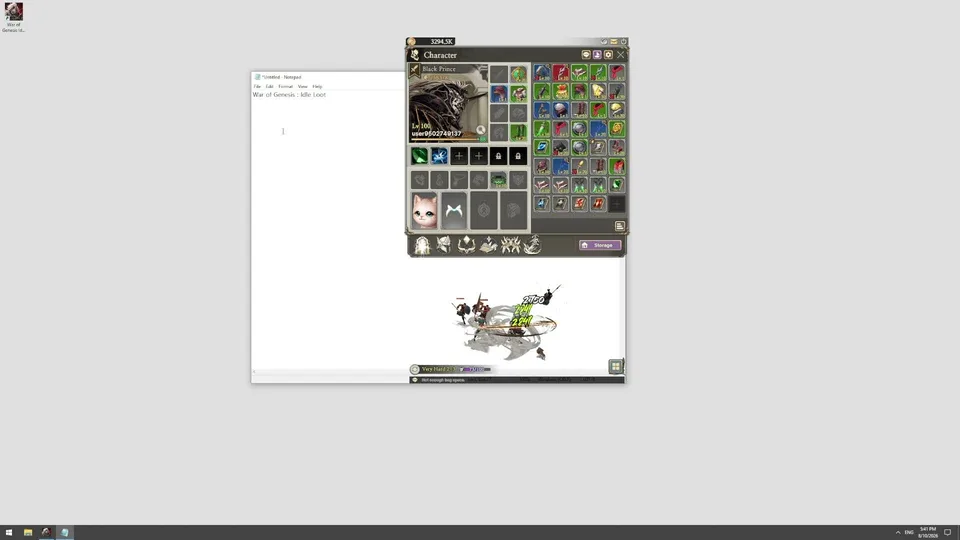
The gameplay loop is designed for minimal intervention. Your 3D hero operates in a small, unobtrusive window on your desktop, battling enemies and collecting loot while you work, browse, or rest. Because the game runs continuously, your hero’s growth is persistent, ensuring that the supply of loot remains consistent. Understanding how to manage this supply and identify which items hold value on the market is the first step toward mastering the game's economy.
Optimizing Your Idle Farming Strategy
Success in War of Genesis depends on your ability to maximize "loot-per-hour." Since the game is an idle title, the most efficient players are those who maintain the highest possible stage progression.
Identify Your Limit: Push your hero to the highest stage they can clear consistently without failing.
Alliance Synergy: Join an active Alliance as early as possible. According to community reports, Alliance Raids provide significantly better loot drops compared to standard solo stages.
Resource Management: Focus on farming gear that has high demand on the Steam Community Market. Check the market prices periodically to see which item types (weapons vs. armor) are currently trending.
Continuous Operation: Ensure your PC power settings are configured to prevent the system from sleeping, as the game requires an active connection to process loot drops effectively.
Using Controllers for Better Management
While the game is designed to be "hands-off," many players prefer using a controller to navigate menus or manage inventory when they do choose to interact with the game.
Tip
To ensure your controller works seamlessly, launch Steam in administrator mode. This grants Steam the necessary permissions to override system inputs and correctly map your device. If your controller isn't detected, navigate to the Steam Controller settings in the top-left menu and enable all controller support options. This is a common fix for players finding that their devices are not recognized by the game client.
Trading on the Steam Community Market
The ability to trade items is what sets this game apart. When you acquire gear, you have the option to list it on the Steam Community Market.
Valuation: Check the "Recent Activity" tab for specific items to see what other players are paying.
Market Fees: Keep in mind that Steam deducts a small transaction fee from each sale. Calculate your profit margins accordingly before setting your listing price.
Liquidity: High-tier items sell faster but may be harder to farm. Lower-tier items are easier to obtain but may flood the market, leading to lower sale prices.
Warning
Never attempt to trade items outside of the official Steam Community Market interface. Third-party trading sites or direct user-to-user transfers outside of Steam's protected environment are high-risk and often violate the game’s EULA.
FAQ: Common Player Concerns
Can I play War of Genesis on my Steam Deck?
No, the game is currently marked as "Unsupported" for Steam Deck. It is optimized for desktop Windows environments and requires a 64-bit operating system.
Why is my hero not gaining loot?
Ensure you are active in a stage appropriate for your hero's current power level. If your hero is stuck, you may need to manually equip better gear or participate in Alliance Raids to boost your stats.
Is the game entirely free to play?
Yes, the game is Free to Play. While there are in-game purchases available, the core loop of looting and trading is accessible to all players without an initial investment.
Final Thoughts on Progression
Whether you are a casual player looking to fill your Steam Wallet or a dedicated strategist aiming for the top of the PvP Arena, the key to War of Genesis is consistency. By leveraging the idle nature of the game and staying active within the community to identify market trends, you can effectively grow your hero while participating in a player-driven economy. Always keep an eye on the official Steam store page for the latest updates and developer announcements regarding new content and balancing changes.