War of Genesis: Idle Loot Guide – Troubleshooting and Gameplay Overview
Discover essential tips for War of Genesis: Idle Loot on Steam, including performance troubleshooting, idle mechanics, and maximizing your loot efficiency.
Published: War of Genesis Wiki Editorial Team
Table of Contents
Understanding the War of Genesis: Idle Loot Experience
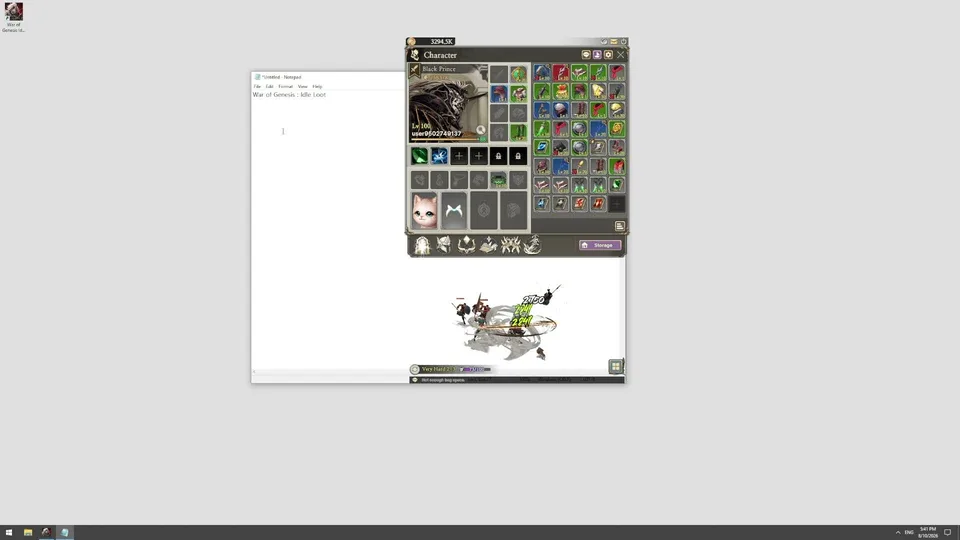
War of Genesis: Idle Loot offers a unique approach to the idle RPG genre, specifically designed to function as a "desktop companion." Unlike traditional games that require full-screen immersion, this title operates in a small, unobtrusive corner of your display. The core premise is simple: your 3D hero battles continuously, collecting loot and gaining strength while you focus on other tasks.
For players searching for War of Genesis on Steam, it is important to note that the game focuses on passive progression. You do not need to manage active combat inputs. Instead, the "gameplay" revolves around strategy—managing the gear you collect, trading items on the Steam Community Market, and coordinating with your Alliance to take down powerful bosses in World Boss battles or PvP arenas.
Troubleshooting Common Audio Issues
One of the most frequent technical hurdles reported by the community involves audio silence. If you find that the game has no sound, follow these systematic steps to resolve the issue.
Check Windows Output Device: Click the sound icon in your taskbar and ensure the correct playback device (speakers or headphones) is selected.
Volume Mixer Configuration: Right-click the sound icon, open the Volume Mixer, and ensure the game’s slider is set to 100% and not muted.
Default Playback Settings: Go to "More sound settings," select your active device, and click "Set as Default." Ensure the levels tab is also set to 100%.
Driver Update: Open Device Manager, locate "Sound, video and game controllers," right-click your device, and choose "Update driver" to ensure compatibility.
If these steps fail to restore audio, verify that your system meets the minimum requirements, as outdated sound drivers on older hardware can sometimes conflict with the game's audio engine. Always restart the game after modifying any system-level sound settings.
Maximizing Efficiency: Loot and Trading Mechanics
The defining feature of War of Genesis: Idle Loot is the integration with the Steam Community Market. Unlike many other idle games where loot is merely a stat-booster, here, the loot serves as a potential asset.
Core Loot Loop
Automated Farming: The hero fights in the background, generating a steady stream of weapons, armor, and gems.
Resource Management: Carefully select which items to keep for your hero’s growth and which to liquidate on the market.
Market Strategy: Use the Steam Community Market to trade your excess spoils, effectively turning your "idle" time into Steam Wallet credit.
Tip
Don't overlook the importance of Alliance Raids. While the game is designed to be played at your own pace, participating in group content is the most efficient way to acquire high-tier artifacts that are otherwise rare in solo farming.
System Requirements and Performance
To ensure a smooth experience, your PC should meet the recommended specifications provided by New Normal Soft Inc. Because the game is intended to run alongside other productivity tasks, maintaining a stable baseline is crucial.
OS: Windows 10 or 11 (64-bit required).
Processor: Intel Core i5-8400 or AMD Ryzen 5 2600 (Recommended for optimal background performance).
Memory: 16 GB RAM is preferred for multitasking while the game runs.
Graphics: At least a GeForce GTX 1050 Ti or equivalent to handle the 3D hero rendering without stuttering.
If you experience performance drops, consider adjusting the game's resolution or checking for background applications that might be consuming excessive CPU resources. Since the game is transparent and desktop-focused, it is designed to be lightweight, but high-intensity tasks on your primary monitor may still impact its responsiveness.
Community Insights and Progression
The game currently holds a "Mixed" rating on Steam, largely due to the specific nature of the idle genre. Players who enjoy "set it and forget it" mechanics tend to find the most value here.
According to recent community reports, the most successful players are those who focus on the "Alliance" aspect early on. By joining an active group, you gain access to shared rewards that significantly speed up the progression curve. If you are struggling with a particular stage, it is rarely a matter of "skill" in the traditional sense, but rather an optimization problem: which gear are you using, and have you maximized your stats through the available upgrade paths?
FAQ: Frequently Asked Questions
Is War of Genesis: Idle Loot free to play?
Yes, the game is free to play on Steam. It includes in-app purchases, but the core gameplay loop is accessible without spending money.
Can I play this game on a Steam Deck?
Currently, the game is listed as "Unsupported" for Steam Deck. It is optimized primarily for Windows desktop environments.
Does the game continue to run when I am offline?
The game is designed to run while your computer is on. Since it is an idle game, your hero continues to fight and loot as long as the application is active on your desktop.
How do I trade items?
You can trade items through the Steam Community Market. Ensure your Steam account is set up for market transactions and that you have enabled Steam Guard to participate.
For further assistance, players are encouraged to visit the official Steam store page to view the latest update history and engage in the community discussion forums. Frequent updates from the developer often address quality-of-life improvements and balance changes based on player feedback.